
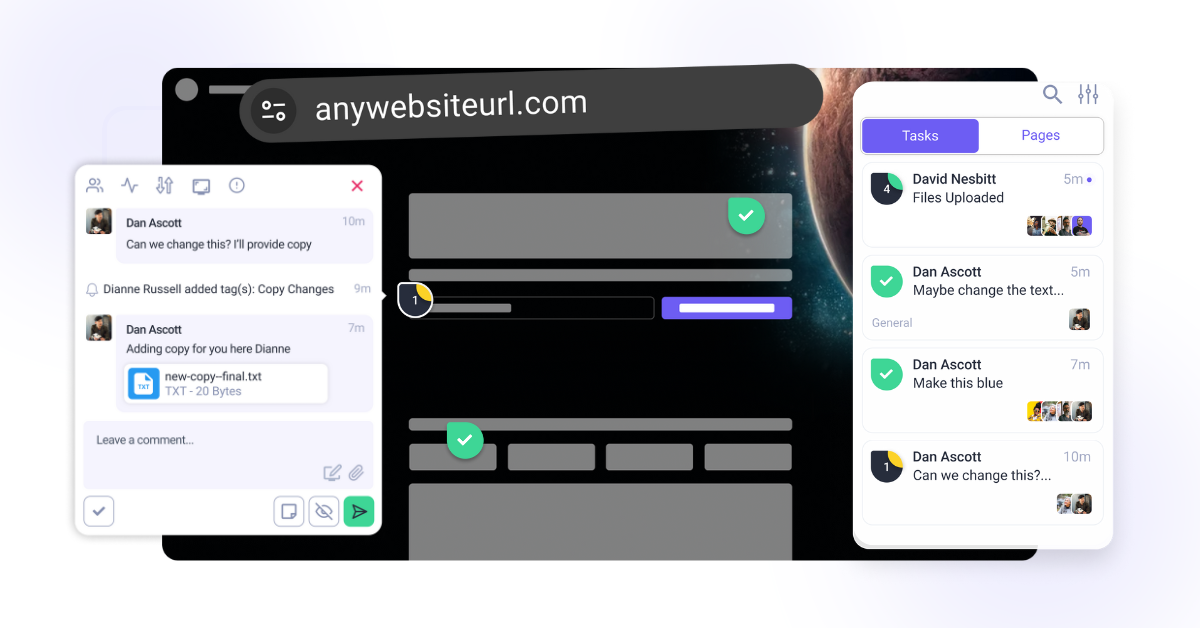
Step-by-Step Guide:
1. Visual Collaboration
Atarim allows users to leave feedback directly on designs/images and web pages within a project. This ensures comments are contextual and eliminates confusion often caused by emails or other communication methods. Whether it’s a website layout, a graphic design, or a user interface mockup, feedback is always placed exactly where it’s needed.
We both support human feedback and AI assisted collaboration. Internal team members can work together visually on any element of a page, while AI tools help review, clarify, and improve work behind the scenes.
Instructions:
- Open your Project in Atarim.
- Click on the element you want to comment on and leave a note.
- Navigate between designs or webpages where feedback is needed during this project by toggling Browse Mode on or off.
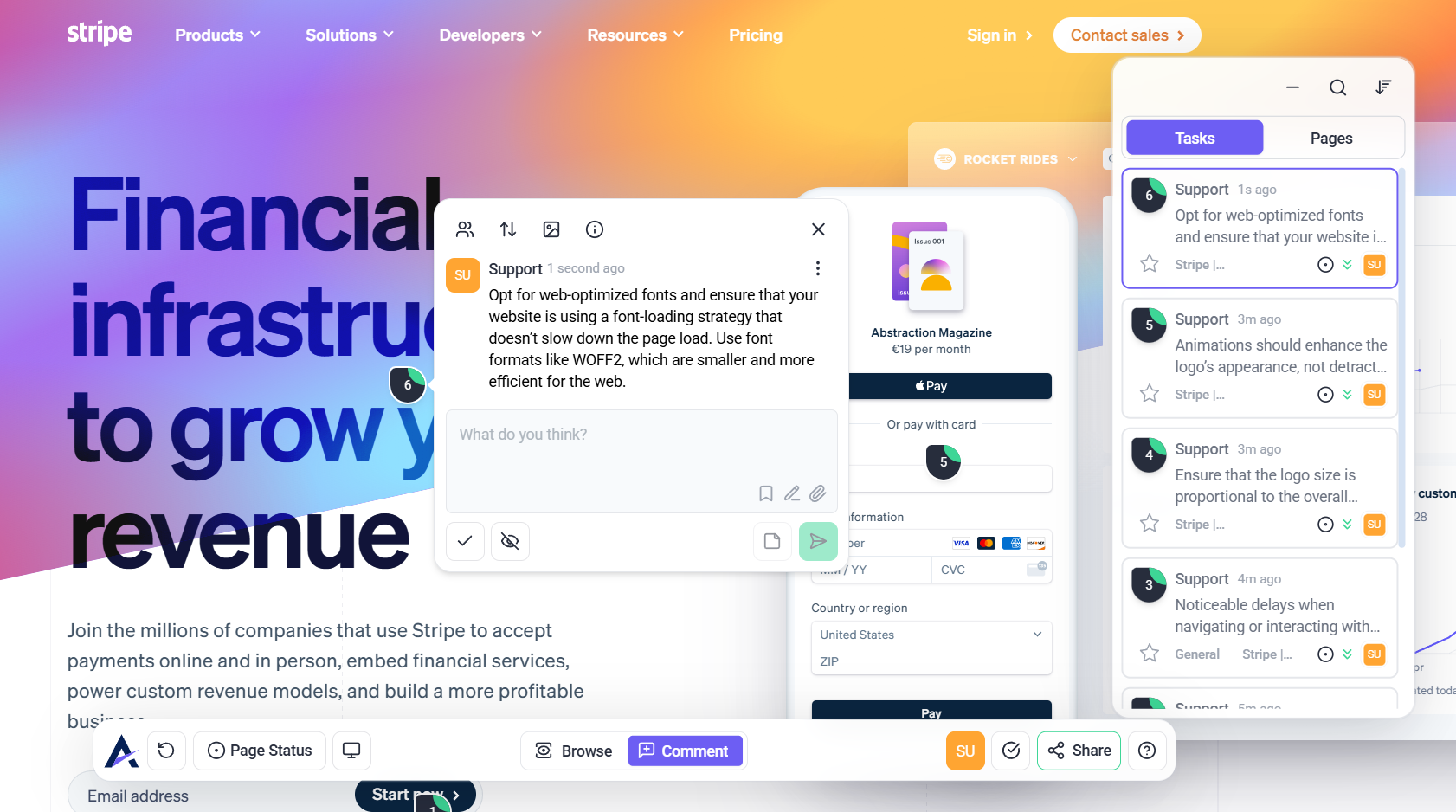
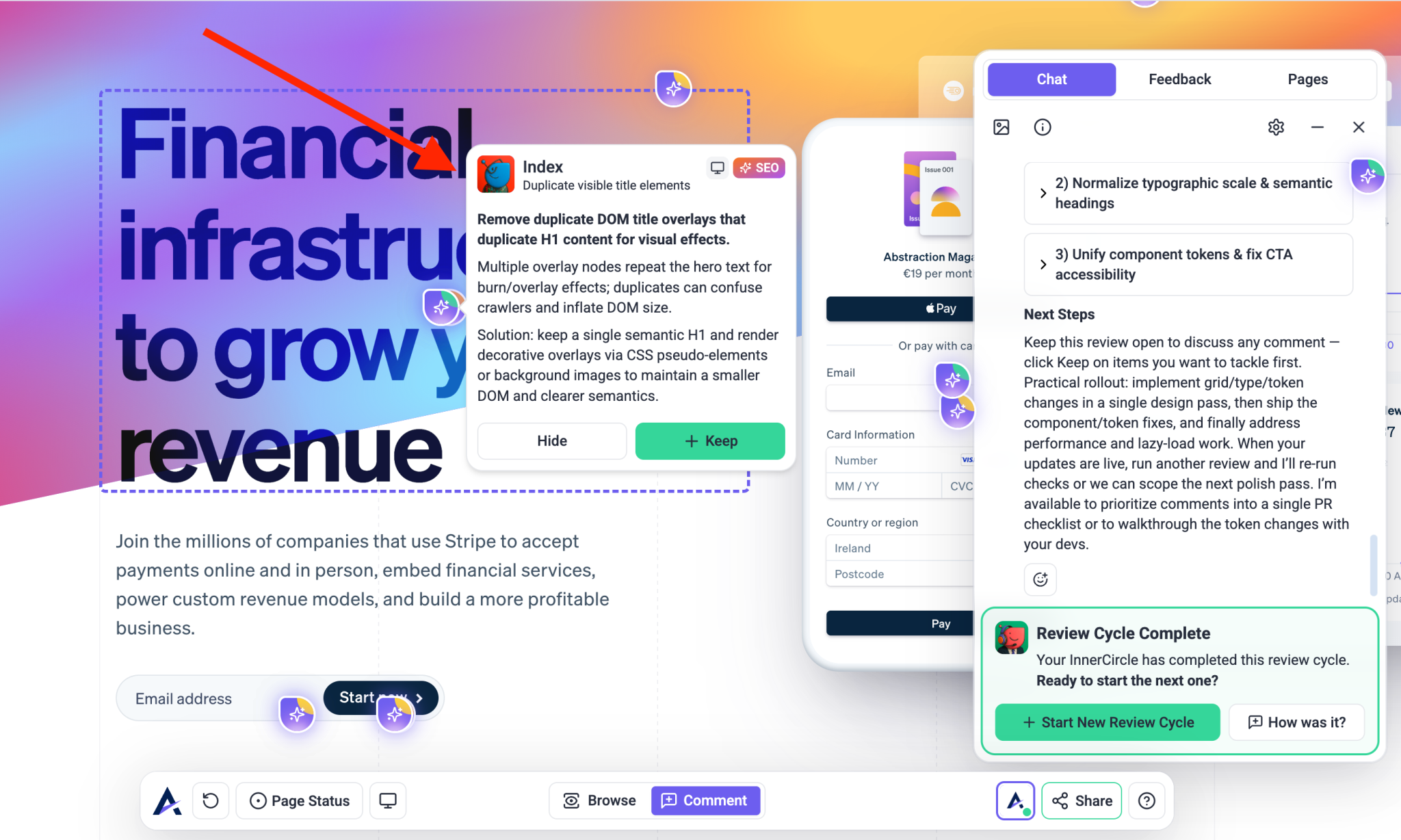
Note: AI review suggestions are hidden from clients by default and are treated as internal tasks.
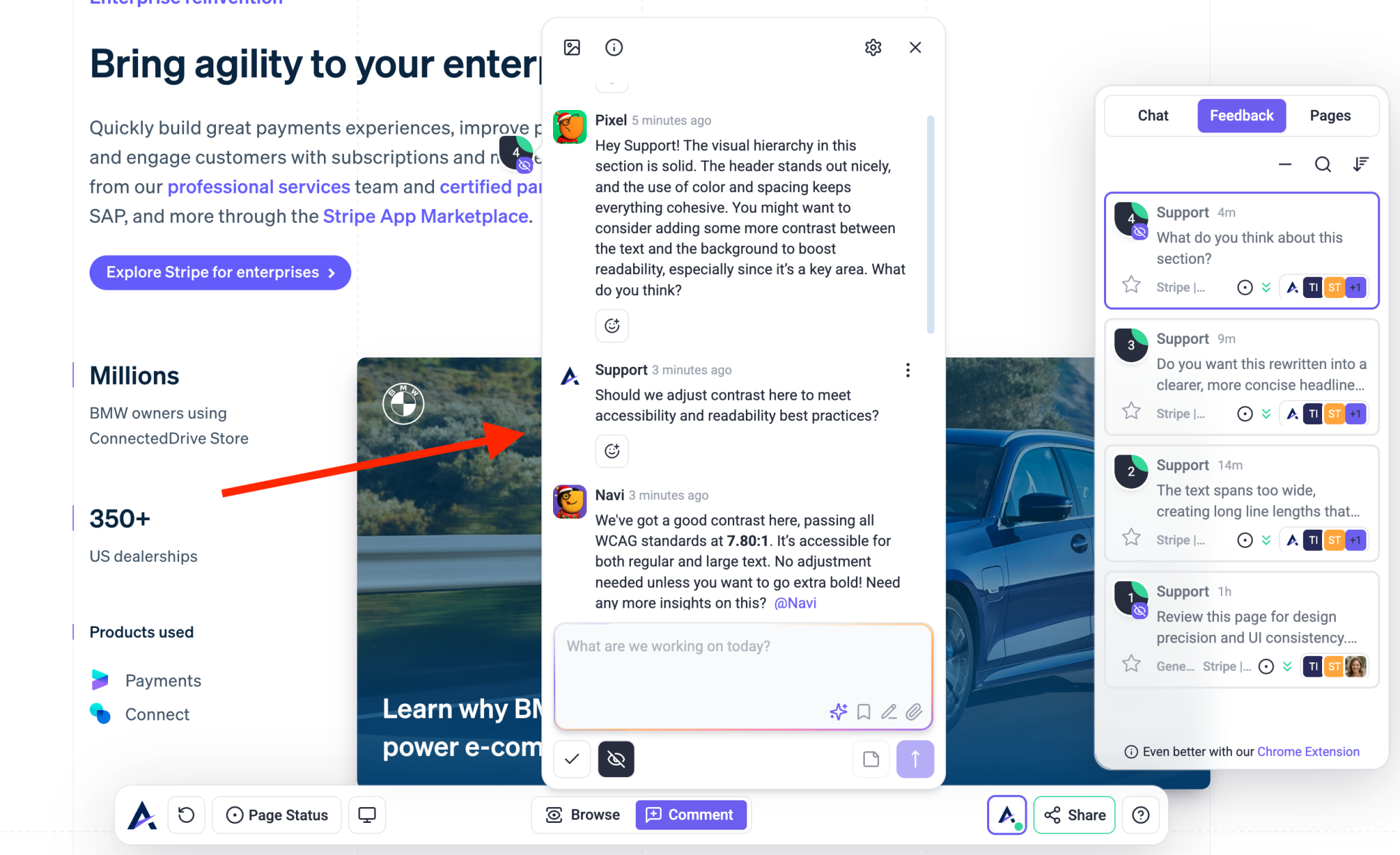
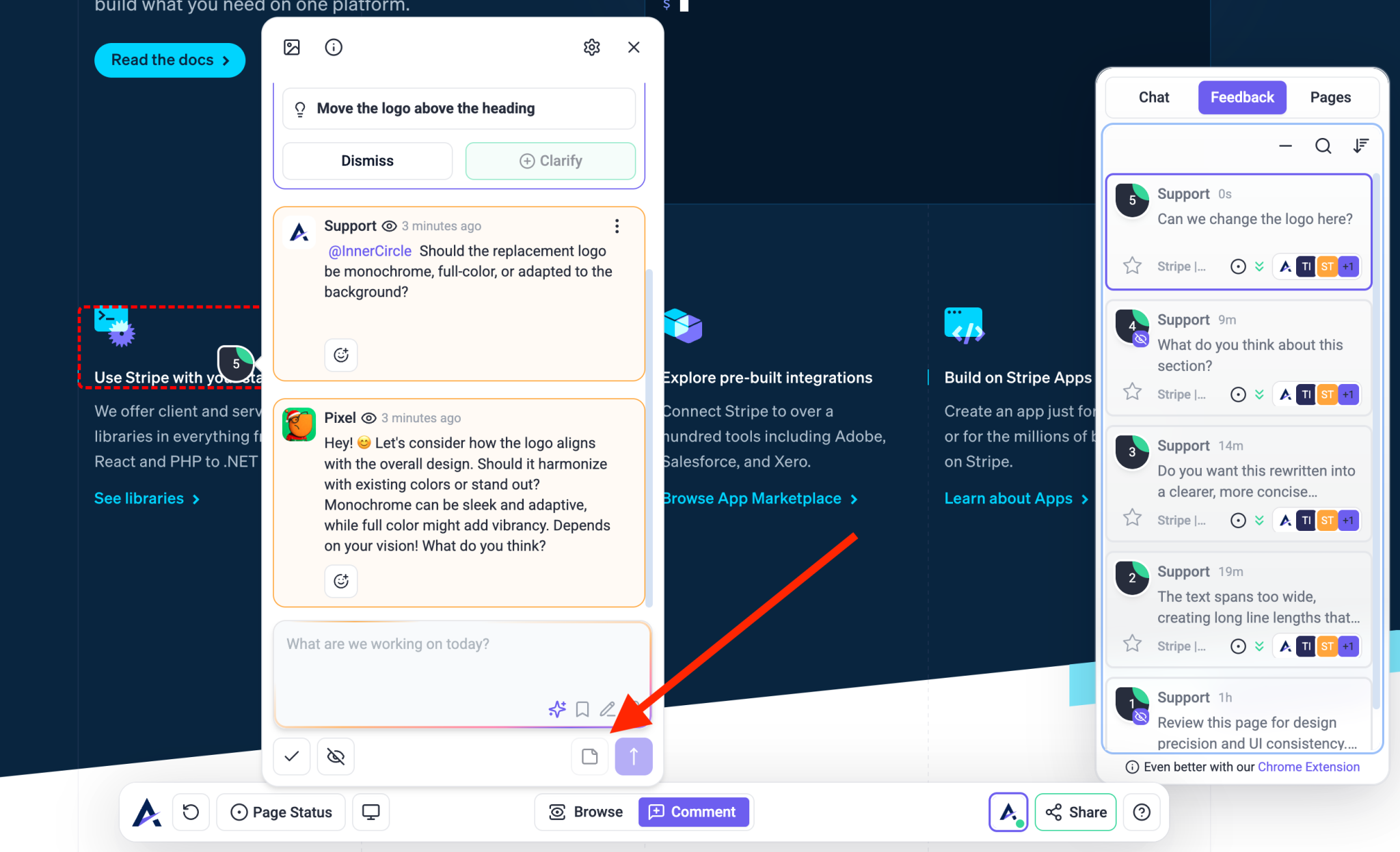
Note: Atarim offers multiple methods to comment directly on any site in real-time, ensuring feedback is clear and actionable. You can use the Atarim Chrome extension, Direct URL, or integrate with WordPress, making it flexible for various workflows and environments.
2. Task Management
Atarim converts feedback into actionable tasks, gathering additional information automatically to provide more context for the tasks. This includes auto screenshot, browser type, screen resolution, and even the exact URL where the feedback was placed. These tasks can be tracked through the unified Inbox or Kanban boards, allowing teams to manage tasks easily, maintain full clarity on requirements, and monitor progress at a glance.
Instructions:
- Assign tasks to team members for full clarity.
- Set project deadlines to shorten feedback cycles.
- Track task progress using the Kanban boards.
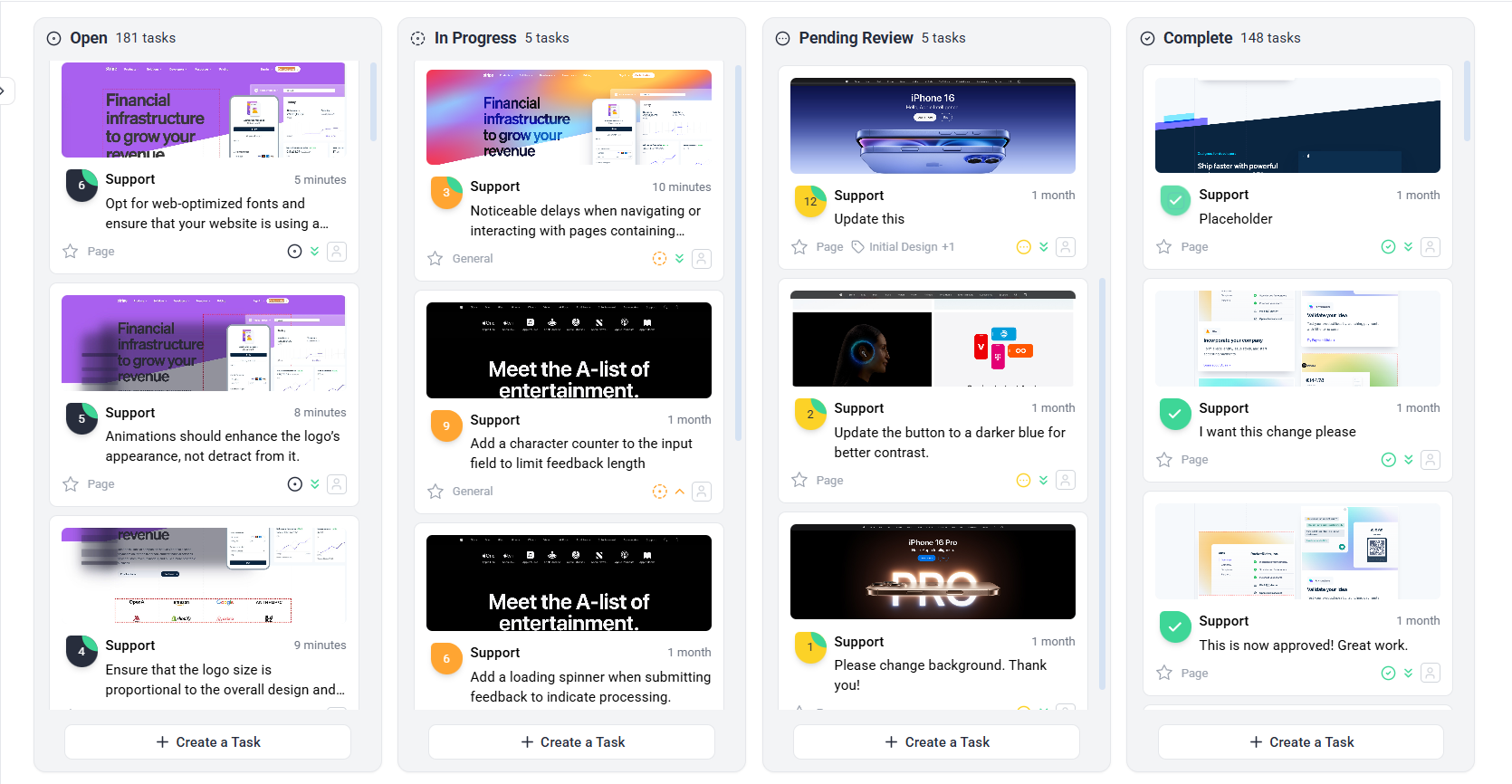
Recommendation: Regularly update task statuses to keep the team aligned and ensure deadlines are met.
3. Client and Stakeholder Communication
Keep clients and stakeholders updated with automated notifications, ensuring they’re always aware of project progress without needing constant manual follow-ups.
Instructions:
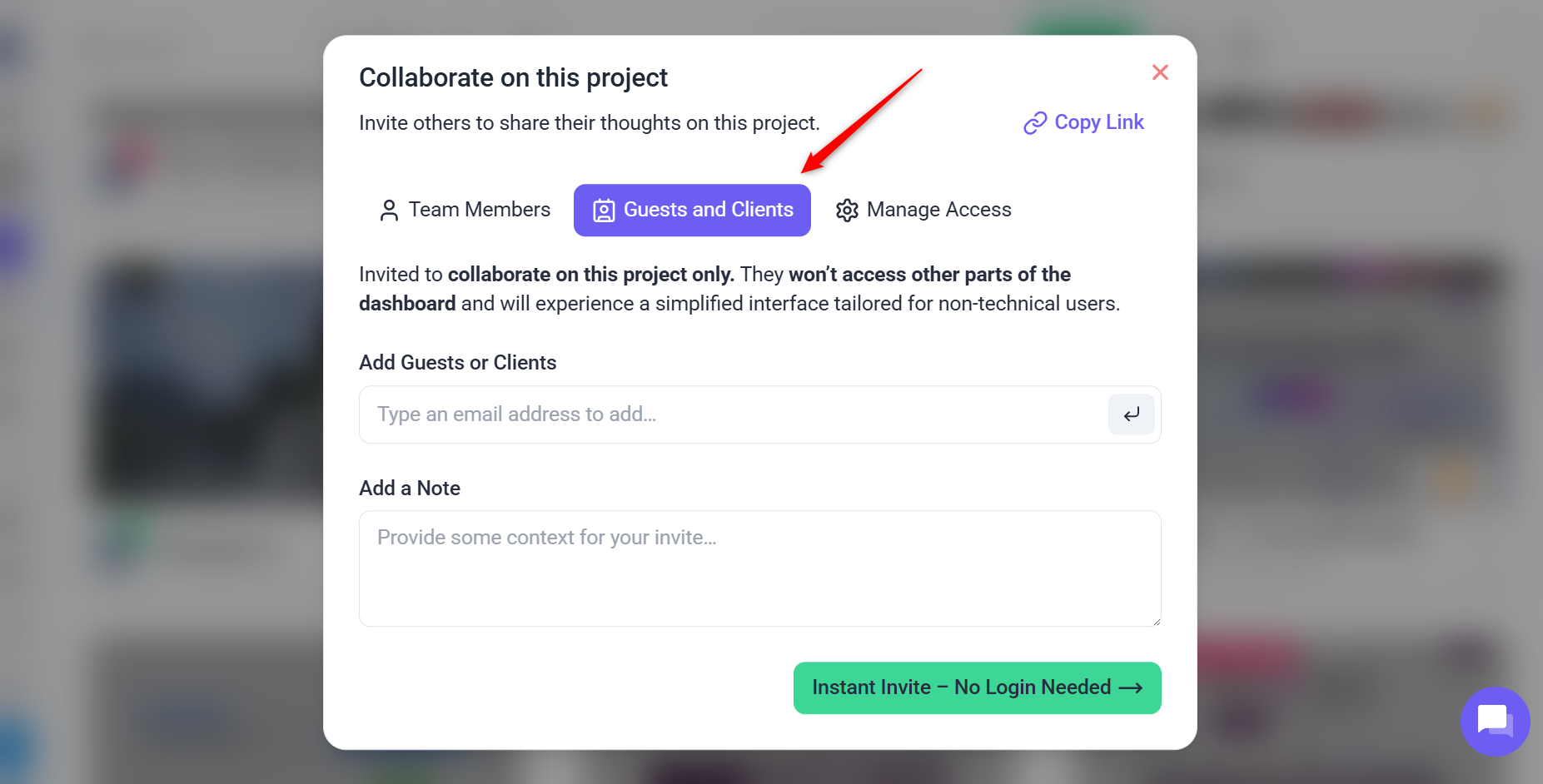
- Invite clients via email from the projects page to bypass their need to register. Straight into feedback.
- Grouped email notifications is designed to combine multiple updates within a single project—such as new tasks, comments, status updates, and priority changes—into a single, consolidated email. This reduces inbox overload while ensuring clients receive all relevant updates in a streamlined, organized manner.
- Brand Atarim as your own feedback tool in the eyes of your clients in the settings area.
4. Integrations
Atarim integrates with many popular tools like Slack, Trello, and Jira, ensuring that teams can continue using their preferred tools while benefiting from Atarim’s visual collaboration features.
Instructions:
- Go to the Integrations section in Atarim’s settings.
- Connect your desired tool (e.g., Slack, Trello) and customize how Atarim shares project updates.
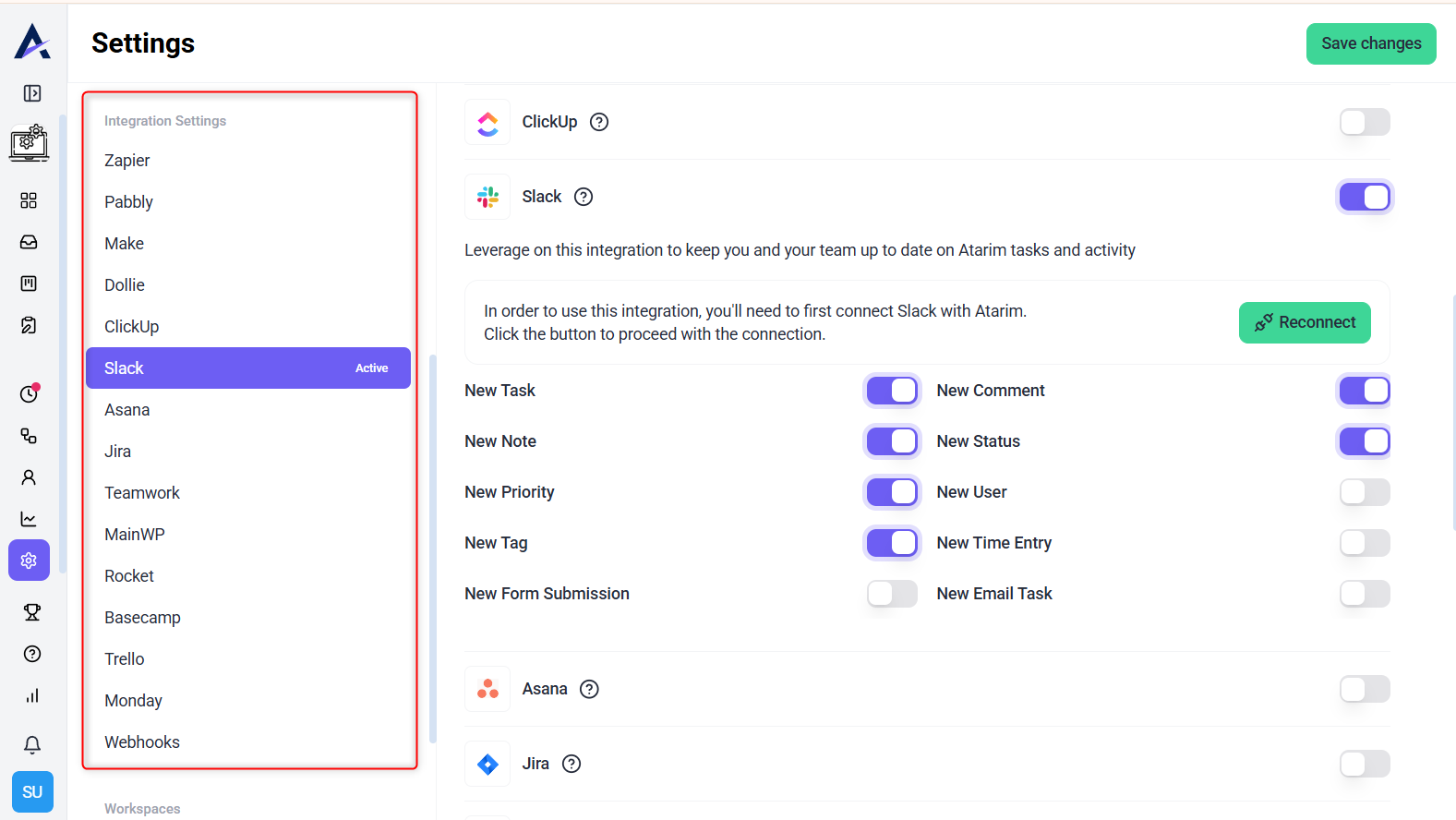
Tip: Use integrations to streamline communication and ensure all teams are working with the latest project information.
FAQs
Click on the design element and leave a comment directly on the visual. It’s easy and intuitive.
AI supports collaboration by helping internal teams review pages, clarify vague feedback, and suggest improvements. Human feedback leads the discussion, while AI works in the background to enhance clarity and quality.
Yes, Atarim integrates with tools like Slack, Trello, and Jira. Just go to Settings to set up the integration.
Atarim offers built-in tutorials and a Help Center. You can also provide your team and clients with onboarding guides and videos through here.
Yes, Atarim thrives at allowing you to manage multiple projects simultaneously, with separate task boards for each. Some of our users manage upwards of thousands of projects monthly.
Atarim can be used for both one-time projects and ongoing processes like support and agile workflows, providing flexibility for various team needs.